Cleaning interview audio with AI: Audacity and DeepFilterNet
How I connected Audacity to Claude to improve a nearly 22-minute interview, why the first version made it sound worse, and how a second pass with DeepFilterNet cut background noise by 21 dB without moving a single sample.
Matías Gaglio ·
Leer en españolA valuable interview with difficult audio.
I had a 21:46 interview recorded at 48 kHz, with background noise and heavy compression in the source file. The first 7:58 had to stay silent, as in the previous edit. The goal was a clear, steady voice without cutting, shifting or replacing anything in the existing project.
Audacity driven by Claude.
Audacity includes a scripting channel, mod-script-pipe, that can import files, apply effects and save projects through commands. I connected it to Claude Code through MCP. For analysis, Claude used Python with NumPy and FFmpeg to decode and compare files outside Audacity.
A classic chain that exposed the problem.
The first version used traditional effects: an 80 Hz high-pass filter, 10 dB of noise reduction, less body between 200 and 800 Hz, more clarity between 2 and 6 kHz, gentle compression, normalization to −16 LUFS and a limiter at −1 dB. On paper it worked: the gap between loud and quiet passages dropped from almost 13 dB to 7 dB.
Listening revealed dropouts and metallic highs. The diagnosis was specific: the noise gate opened and closed between words, and the overall gain also raised the hiss and compression artifacts of the 96 kbps file.
Local AI instead of more effects.
The fix was DeepFilterNet, an open-source model built to separate speech from noise. It runs offline, so the audio never left the computer, and it works natively at 48 kHz. The alternative was a web service that requires uploading the recording to third-party servers.
Clean
DeepFilterNet on the original, with an attenuation limit so the voice does not sound artificial.
Adjust
The same chain without the gate, with less treble boost and lighter compression.
Replace
A new track in the project with the same leading silence and the previous version muted as a reference.
Verify
Length, alignment, noise in pauses, peaks and voice level, measured with code.
Measure before calling it done.
| Check | Result |
|---|---|
| Length | Same as the original: 21:46.389 with the same leading silence. |
| Alignment | Cross-correlation at five points: 0 to 3 samples of difference, inaudible. |
| Noise in pauses | 21 dB lower than the first version. |
| Clipping | Peak at −0.97 dBFS. |
| Voice | Similar level to the previous version, slightly lower. |
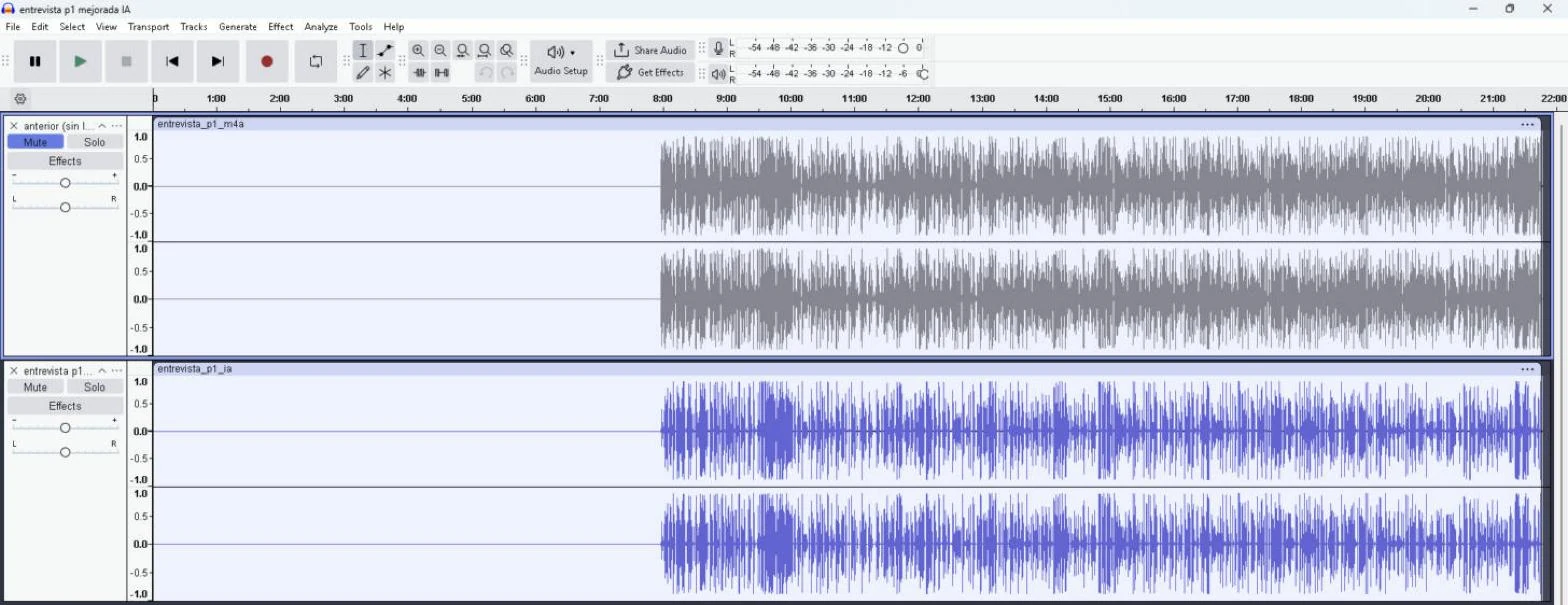
The new project was saved under a different name and the previous one stayed untouched. I set that rule during the work, and it is now how I approach any automated process: never overwrite the source material.
What I learned.
- More processing is not better sound: raising the level also raises the flaws that were already there.
- Local AI protects the material: an interview can contain sensitive information and does not need to be uploaded to the cloud.
- Numbers do not replace listening: metrics confirm nothing broke; ears decide whether it sounds natural.